Stagger children
Stagger takes a single entrance animation set on a parent element and plays it on each direct child in turn, with a small delay between them — the classic "cards appear one after another" effect. Don't animate each child by hand; put the animation and Stagger on the parent instead.
See it live: Stagger on fancyanimations.com.
What happens
- If the parent itself has an entrance animation, that exact animation (same duration, trigger point, "fully visible" reference, reset behaviour, elastic easing, tablet/mobile settings and loop/"only once" state) is copied onto every direct child that doesn't already have an animation of its own. Delay classes are not copied.
- The parent itself becomes a plain, always-visible container — it's set to
opacity: 1and isn't animated. - Every direct child with an animation (whether copied or its own) gets a calculated delay: base delay, plus its position in the row multiplied by the step.
- Each child still only starts once it individually reaches the trigger point — the stagger delay is added on top of that, not instead of it.
- If the parent has no animation of its own, children keep whatever animation they already have, and Stagger only staggers their delays.
Settings (on the parent)
| Setting | Effect |
|---|---|
| Stagger children | Turns it on (required) |
| Step | The delay added between each consecutive child. Default 0.3s |
| Start | An extra delay before the very first child. Default 0 |
| Reverse | Animates the last child first |
| Columns — desktop / tablet / small tablet / mobile | How many columns to assume at each breakpoint, so the stagger position resets at the start of each row |
Without a column count set for the current screen width, every child is treated as one long sequence — fine for a single list, but it means the last item in a big grid can wait a long time. Set the column counts to match your actual grid, or the delays won't match what's on screen.
Example — a 3-column card grid:
div.cards   Stagger on · Step 0.3s · Desktop columns 3 · Tablet columns 2 · Mobile columns 1
            + an entrance animation, e.g. "Slide up (soft)"
  ├ div.card
  ├ div.card
  └ div.card …
- Bricks
- Etch
- Gutenberg
Style tab → Entrance Animations, same panel as a normal entrance animation: turn on "Stagger children" and set Step, Start delay, Reverse and the per-breakpoint column counts, alongside the parent's own entrance animation choice. For a WordPress query loop, put Stagger on the element that actually wraps the loop's repeated items.
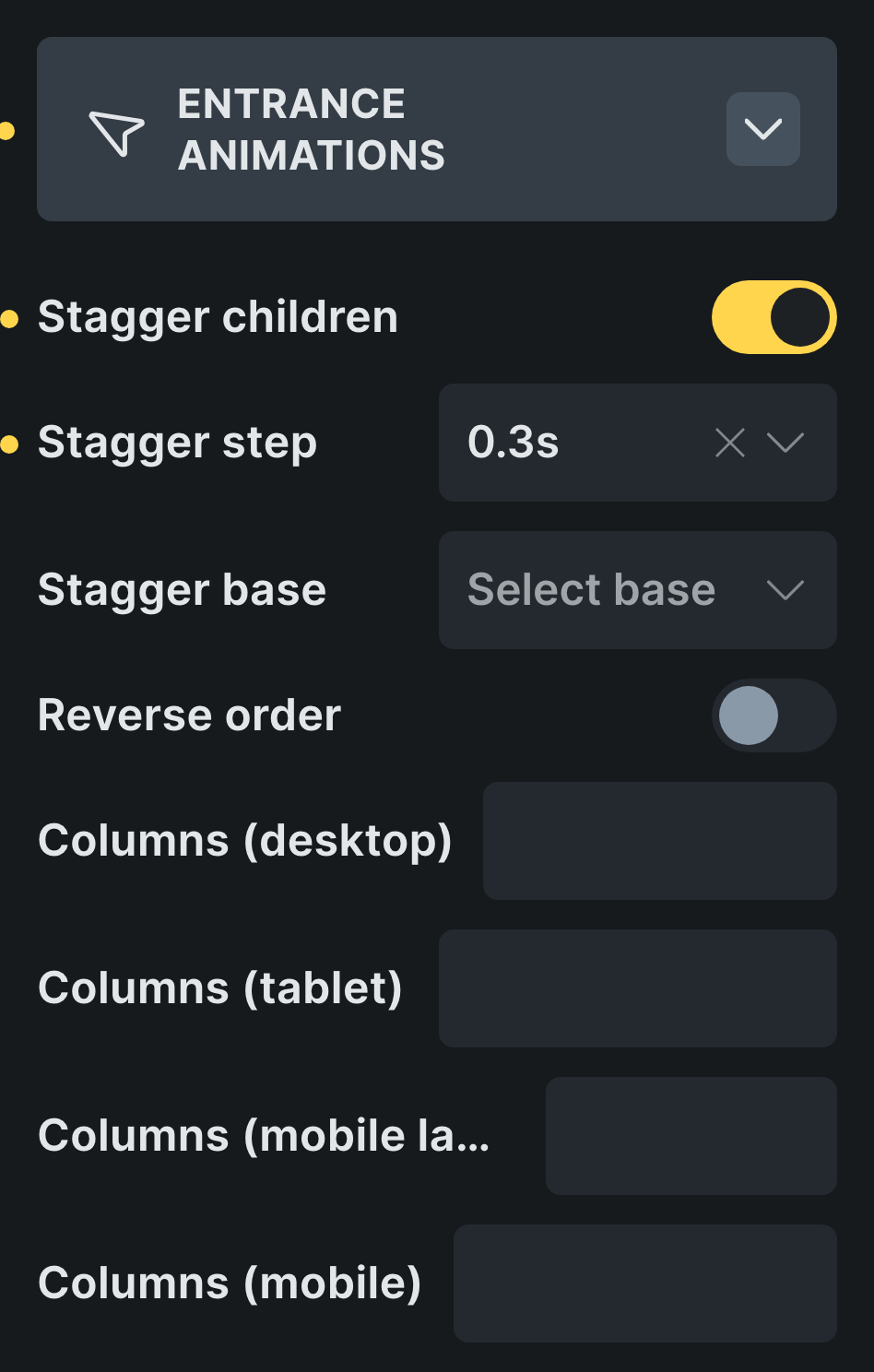 Stagger lives at the bottom of the parent's Entrance Animations panel.
Add the stagger classes to the parent from the Fancy → Entrance panel's Stagger Children section.
On the parent block, in the Fancy Entrance Animations panel: turning on the entrance module itself is required even if you only want the stagger behaviour, then turn on Stagger and set Step, Start, Reverse and the column counts.
Common problems
- A child is visible before its turn comes, then suddenly jumps into its animated state. The
child has its own
opacityset somewhere (its own CSS, or a builder control), which overrides the hidden starting state Stagger relies on. Move that opacity to a grandchild instead. - Nothing cascades at all. The children aren't direct children of the Stagger element — there's an extra wrapper in between. Put Stagger on the element whose immediate children are the actual items.
- The parent itself doesn't animate. This is by design: a parent with Stagger and an animation only hands the animation down, it doesn't keep it for itself. To animate both, wrap the parent in another element and put the entrance there instead.
- The last items in a long list appear several seconds late. With no column counts set, a 12th child waits (base delay + 11 × step) after it scrolls into view. Set the column classes so the delay resets at the start of each row.
- A child's own delay class seems to be ignored. Stagger writes its own calculated delay directly on every animated child, which overrides any delay class that child might have had.
- Setting Step to "0" still gives a 0.3s gap. A zero step falls back to the default rather than disabling the gap — if you don't want any cascade at all, don't use Stagger.