Global animations
In wp-admin: Fancy Animations → Global animations. Define an animation for any CSS selector,
and it's applied automatically to every matching element across the site, no builder required.
Useful for a blanket "every h2 slides up" or "every card fades in" rule you don't want to set by
hand on every element.
Elements that already have their own Fancy animation, set in the builder, are always skipped: a rule only reaches elements with no animation of their own.
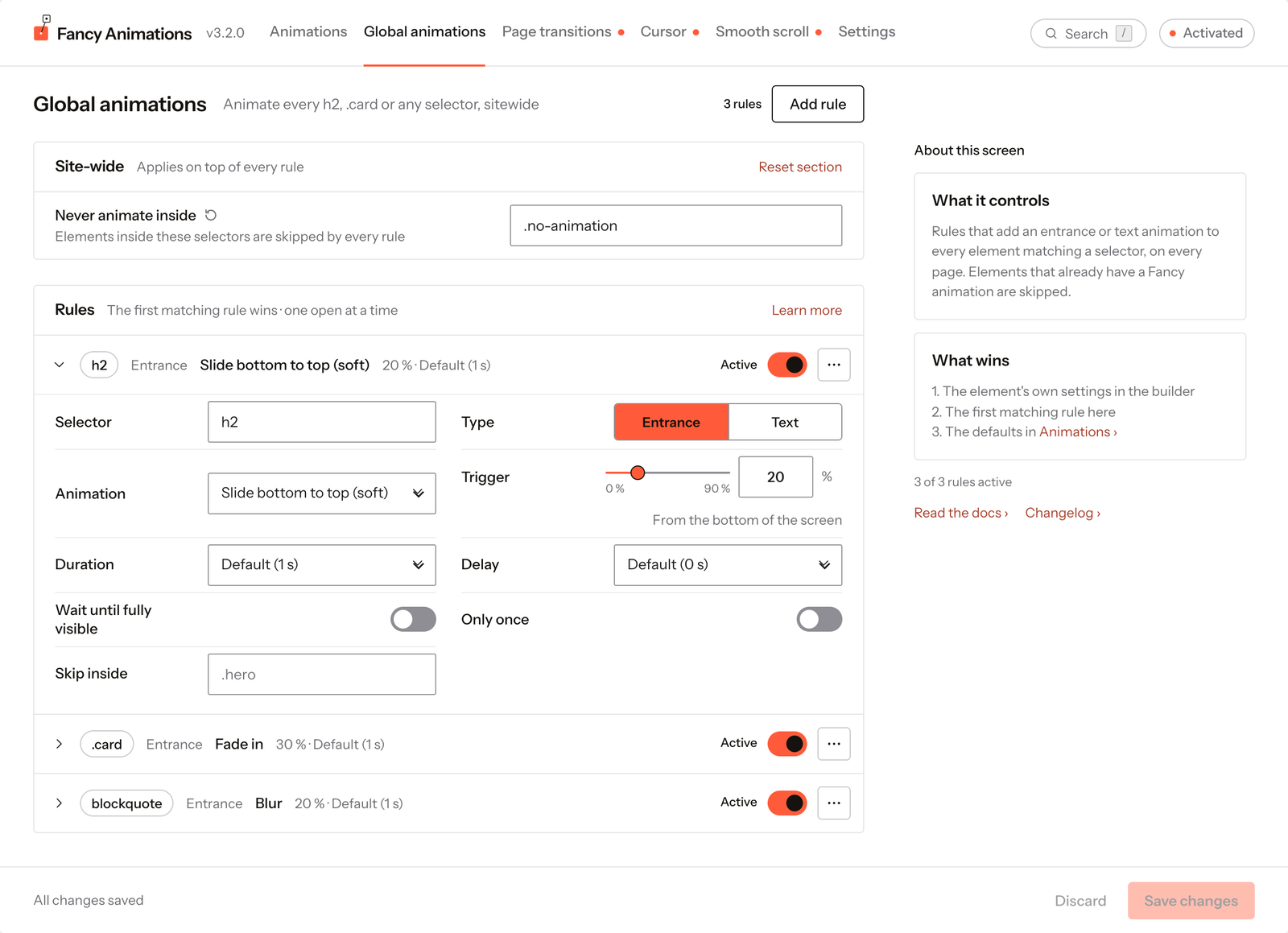
See it live: Global animations on fancyanimations.com.
Site-wide
| Setting | Default | Effect |
|---|---|---|
| Never animate inside | Empty | A selector list (for example .no-animation, footer) that every rule respects, on top of its own exclusions |
Rules
Click Add rule at the top of the screen to create one. Rules are listed in order, and the first rule that matches an element wins. Only one rule is open at a time: click a rule's summary line to open or close it.
Each rule has, on its summary line:
- an Active switch, to pause the rule without deleting it;
- a ⋯ menu with Move up, Move down, Duplicate and Delete.
Inside an open rule:
| Setting | Options | Default |
|---|---|---|
| Selector | Type a selector, or pick a common one (h1–h6, p, a, button, img, section, article) | Empty |
| Type | Entrance, or Text (Text needs the Text module) | Entrance |
| Animation | The entrance or text catalogue | Fade in |
| Split by (Text only) | Letters, Words, Lines | Letters |
| Trigger | 0–90 %, from the bottom of the screen | 10 % |
| Duration | Default (the site's Animation time), or a specific value | Default |
| Delay | Default (the site's Animation delay), or a specific value | Default |
| Wait until fully visible | Uses the element's bottom edge as the trigger reference | Off |
| Only once | Plays the first time only. Shown on and locked when "Play entrance animations once" is on for the whole site | Off |
| Skip inside | A selector list excluded for this rule only, on top of "Never animate inside" | Empty |
A rule with an empty or invalid selector is flagged Needs attention and blocks saving until you fix it.
Common problems
- An element I expect to be animated isn't. It probably already has its own Fancy animation set in the builder: rules always skip those. Or an earlier rule matches it first.
- Something animates that I never touched in the builder. A rule matches its tag or selector. Give the element its own animation (it always wins), or add it to "Never animate inside" or to the rule's "Skip inside".
- Text can't be chosen as the type. The Text module is off for the site: turn it on first.