Page transitions
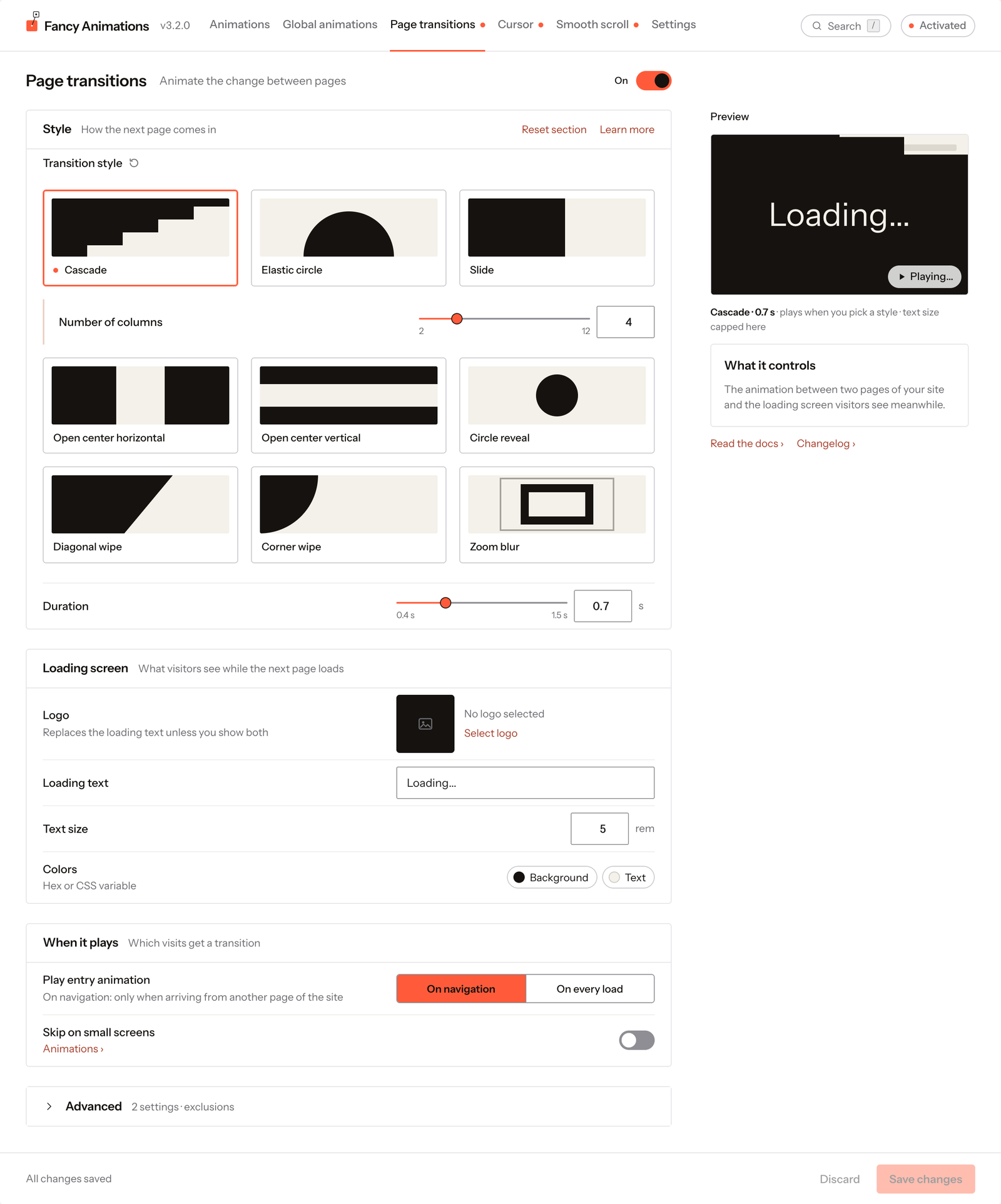
In wp-admin: Fancy Animations → Page transitions. A visual effect played between page loads as a visitor moves around your site, with an optional loading screen while the next page loads.
The On/Off switch at the top right turns the whole feature on or off without losing your style and colours; it's off on a new install. The Preview in the side column plays the chosen style with your settings every time you change one, and its Play button replays it.
See it live: Page transitions on fancyanimations.com.
Style
| Setting | Options | Default |
|---|---|---|
| Transition style | Cascade, Elastic circle, Slide, Open center horizontal, Open center vertical, Circle reveal, Diagonal wipe, Corner wipe, Zoom blur | Slide |
| Duration | 0.4–1.5 s | 0.7 s |
Some styles have one extra option, shown right under the row of the style you pick:
| Option | Style | Choices | Default |
|---|---|---|---|
| Number of columns | Cascade | 2–12 | 4 |
| Slide direction | Slide | Center, Left, Right, Top, Bottom | Center |
| Wipe direction | Diagonal wipe | From left, From right | From left |
| Corner origin | Corner wipe | Top left, Top right, Bottom left, Bottom right | Top left |
| Zoom direction | Zoom blur | Zoom in, Zoom out | Zoom in |
Loading screen
What visitors see while the next page loads.
| Setting | Default | Notes |
|---|---|---|
| Logo | None | Pick an image from the media library. It replaces the loading text unless you show both |
| Max width (with a logo) | 180 px (20–1200) | — |
| Text with logo (with a logo) | Hidden | Hidden, Above or Below the logo; with Above or Below, Gap sets the space between them (16 px, 0–200) |
| Loading text | Loading... | Disabled while a logo is shown without text |
| Text size | 5 rem (0.5–20) | — |
| Colors | Background #15120F, Text #F4F1EA | Hex or a CSS variable |
When it plays
| Setting | Options | Default |
|---|---|---|
| Play entry animation | On navigation: only when arriving from another page of the site. On every load: also on reloads and direct visits | On navigation |
| Skip on small screens | On/off; when on, Up to sets the width (200–4000 px) | Off, 768 px |
Transitions are also skipped when Respect "Reduce motion" is on and the visitor's system asks for less motion. The screen tells you when that's the case, and warns you if your own device has reduced motion on (you won't see transitions while testing).
Advanced
A collapsed section with two settings:
| Setting | Default | Notes |
|---|---|---|
| Exclude URLs | Empty | One path or URL per line; transitions don't play to or from these pages. Add a query string to narrow a match: /?preview=1 excludes only that exact screen. Write ?preview with no value to match any value of that parameter |
| Don't transition from | Empty | Selectors (for example .no-transition) whose clicks open the next page without a transition |
Entrance animations after a transition
When a visitor arrives through a transition, entrance and text animations already on screen wait for the transition to finish, then play, so the visitor sees them animate instead of finding them already in place. On a direct load (typed URL, reload, link from another site) nothing waits. Elements further down the page play when scrolled into view, as always.
For developers: the event fancyanimations:pagetransitionend fires on window once per page load,
when the transition has finished (or straight away when there is none to play).
Common problems
- No transition plays at all. The switch at the top of the screen is off (the default on a new install). Turn it on and save.
- The loading text doesn't show even though a logo is set. "Text with logo" is still on Hidden: pick Above or Below.
- Transitions don't play for visitors who asked their system for reduced motion. Expected when Respect "Reduce motion" is on (it's off by default).
- A specific admin or builder screen gets an unwanted transition. Add its URL, with a distinguishing query string if needed, to "Exclude URLs".