
Hover animations
Hover effects for WordPress, set in the panel
Hover effects for WordPress used to mean a CSS snippet per button. Now you pick one in the Hover Animations panel: float, zoom, ring or wobble, on any element, with the timing already right.
What you can do
The hover effects in the plugin
Each one comes in a few versions, so you can match the weight of the element.
Float
It lifts a little, with or without a shadow.
Zoom
It grows, or shrinks with Zoom out.
Wobble
A short shake, in four directions.
Ring
A ring that spreads from the edge.
Float shadow
The lift, with a shadow under it.
Zoom out
It shrinks a little.
Every preset
18 hover presets
One effect per element. Ring comes in four colors and three sizes.
Float 2
Float
FloatWith shadow
Zoom 2
Zoom in
Zoom out
Wobble 4
Horizontal
Vertical
Top
Bottom
Ring 12
PrimarySmall
PrimaryMedium
PrimaryLarge
SecondarySmall
SecondaryMedium
SecondaryLarge
WhiteSmall
WhiteMedium
WhiteLarge
BlackSmall
BlackMedium
BlackLarge
Here every preset plays on its own. On your site each one plays when you point at it.
How it works
Pick the element, then the effect
Hover Animations has its own panel in Bricks and in Etch.
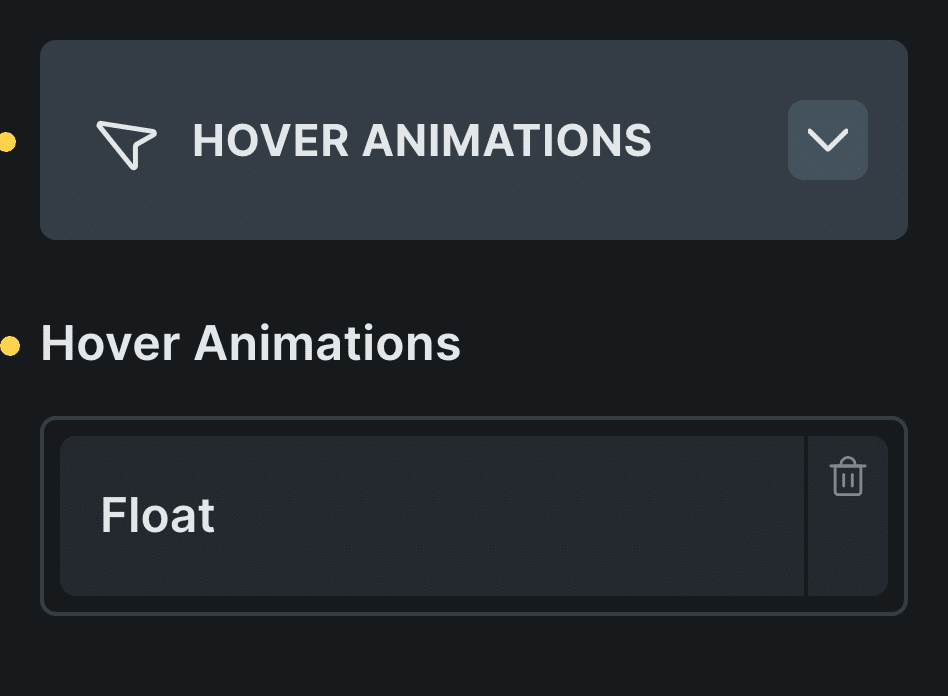
Real capture of the panel in Bricks, in Bricks’ own colors.
Pick the element
A button, a card, an image or a link.
Open Hover Animations
It sits in the element’s settings.
Choose the effect
Float is a good first pick for cards.
Control: Animations
In Etch the same settings live in the Fancy panel. The block editor has no hover panel yet.
Every setting
Every setting in the panel
Hover Animations has one setting: the effect. The timing is already set, and it works without JavaScript.
Hover Animations
Pick one effect for the element. Two effects would move the same thing, so only one would show.
FloatZoomWobbleRing
Hover in CSS
Hover on buttons, images and menus
A hover effect is a transition between two states: how the element looks, and how it looks under the pointer. The trick is to animate transform and shadow, not size or position, so nothing around it moves.
On buttons keep it small; on cards a float reads well; on images, a zoom inside a frame that clips it.
Read the guide to CSS hover effectsBefore and now
What it took before, and what it takes now
Hover effects are small, which is why they get written by hand again and again.
Beforesnippets by hand
- Not included:A CSS snippet per effect
- Not included:Timings that never match
- Not included:Copied from site to site
Nowwith Fancy Animations
- Not included:A preset in the Hover Animations panel
- Not included:The same timing across the site
- Not included:The same settings in Bricks and Etch
Can I combine two hover effects?
Pick one per element. They move the same thing, so only one would show.
Does it work in the block editor?
Not from a panel yet. In Bricks and Etch it does.
Does it need JavaScript?
No. Hover effects are plain CSS.
Add hover effects to your next site
From $179, one payment, every update for life. 14-day refund.