
Page transitions
Page transitions for WordPress, from one settings screen
Page transitions cover the jump between pages with a short animation, with your logo if you like. Before, that meant a JavaScript router and broken plugins. Now it is a settings screen in WordPress.
What you can do
Transition styles
Each style has its own direction or origin to choose.
Cascade
Columns fall one after another.
Elastic circle
A circle that grows with a bounce.
Slide
The cover slides in.
Diagonal wipe
A diagonal sweep across.
Zoom blur
The page zooms and blurs.
Logo and text
Your logo with a loading text.
Every preset
Nine transition styles
One style for the whole site. Some have a direction to pick.
Styles 9
Cascade
Elastic circle
Slide
Open centerHorizontal
Open centerVertical
Circle reveal
Diagonal wipe
Corner wipe
Zoom blur
Every style plays here on a loop. On your site one style plays for the whole site; slide, diagonal wipe, corner wipe and zoom blur also take a direction, and cascade a number of columns.
How it works
Pick a style, then the details
Page transitions live in the plugin settings, not on each page.
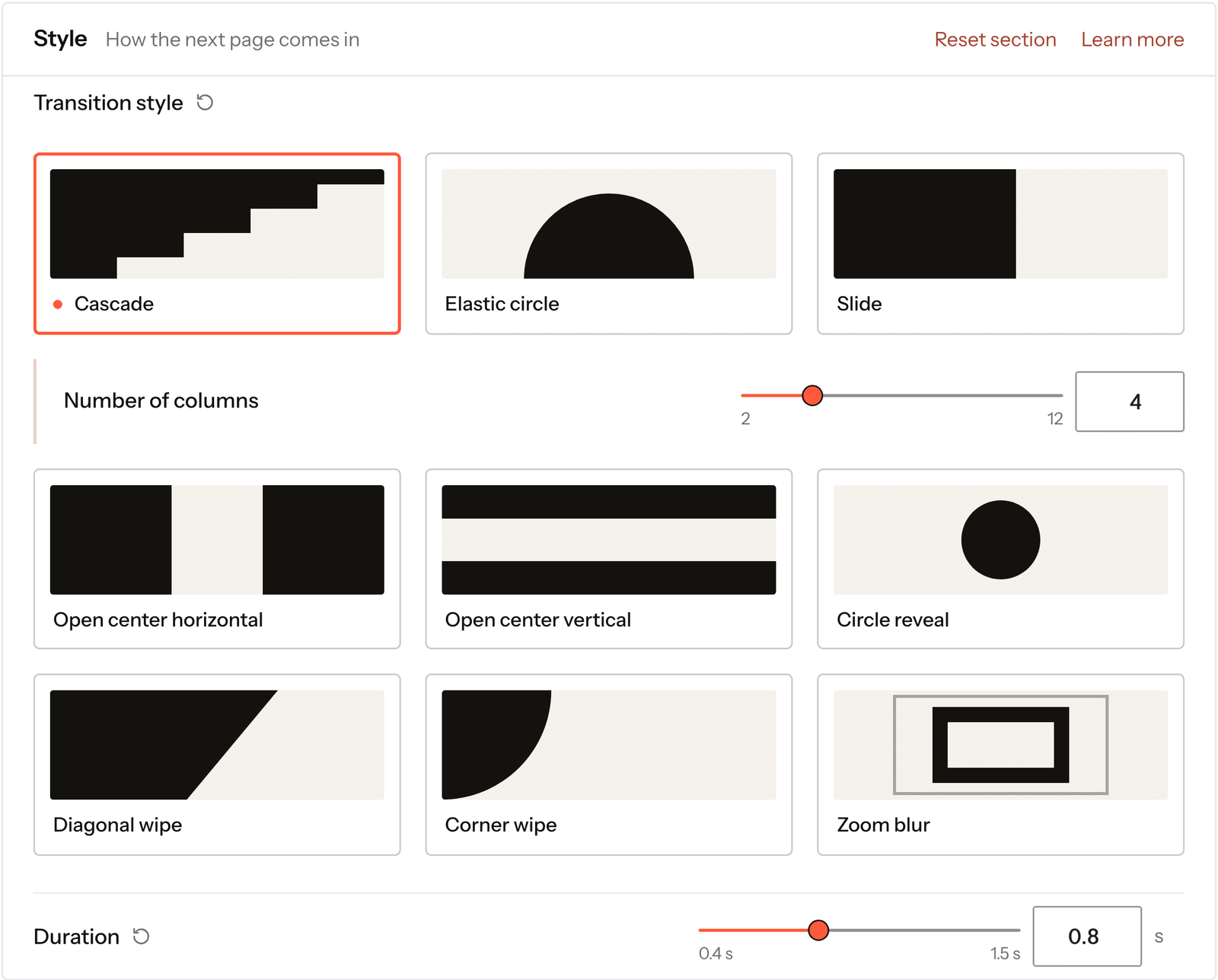
Real capture of the Page transitions screen in the plugin settings.
Open Page transitions
In Fancy Animations, in your WordPress admin.
Choose a Transition style
Slide, wipe, corner, zoom or cascade.
Add your logo and exclusions
Exclude URLs keeps some pages out, query strings included.
The transitions work the same whatever builder made the page.
Every setting
Every setting in the panel
The settings that every style shares.
Duration
How long the cover takes.
0.4s to 1.5sLogo and loading text
Your logo, a loading text, or both, with the text above or below.
Colors
Background and text.
Play entry animation
On navigation only, or on every load.
On navigationOn every loadSkip on small screens
Below a width you choose. 768px by default.
Exclude URLs
Pages that load without a transition, query strings included.
Don’t transition from
Links that should never play it, like downloads.
How it works
Page transitions in WordPress
When you click a link, a cover plays over the page while the next one loads, then lifts. The next page is a normal page load, so nothing breaks the way a full JavaScript router can.
If a page is served outside your theme, a payment gateway for example, the transition simply skips it. Exclude any other URL by hand.
Read how to set it up in the docsBefore and now
What it took before, and what it takes now
Most page transition tools turn the site into a single-page app.
Beforea JavaScript router
- Not included:A router that loads pages by script
- Not included:Plugins that stop working after a transition
- Not included:Code to exclude pages
Nowwith Fancy Animations
- Not included:Normal page loads with a cover on top
- Not included:A settings screen with live options
- Not included:Exclude URLs, query strings included
Can I turn them off on phones?
Yes, with the Mobile devices option and its breakpoint.
Do they respect reduce motion?
Yes. With Respect reduce motion on, visitors who ask for less motion skip page transitions.
Can I keep some pages out?
Yes. Exclude URLs takes paths and query strings.
Add page transitions to your next site
From $179, one payment, every update for life. 14-day refund.