
Entrance animations
Stagger animation for WordPress, one card after another
A stagger animation brings a group in one item at a time. Before, you typed a delay on every card and redid it when the grid changed. Now you switch on Stagger children on the parent and the delays are set for you.
What you can do
Shape the order
The stagger follows the grid. These settings change how.
Stagger step
The time between one card and the next.
Reverse order
The last card goes first.
Columns
Row by row, per screen size.
How it works
One switch on the parent
Stagger lives in Entrance Animations, on the element that holds the cards.
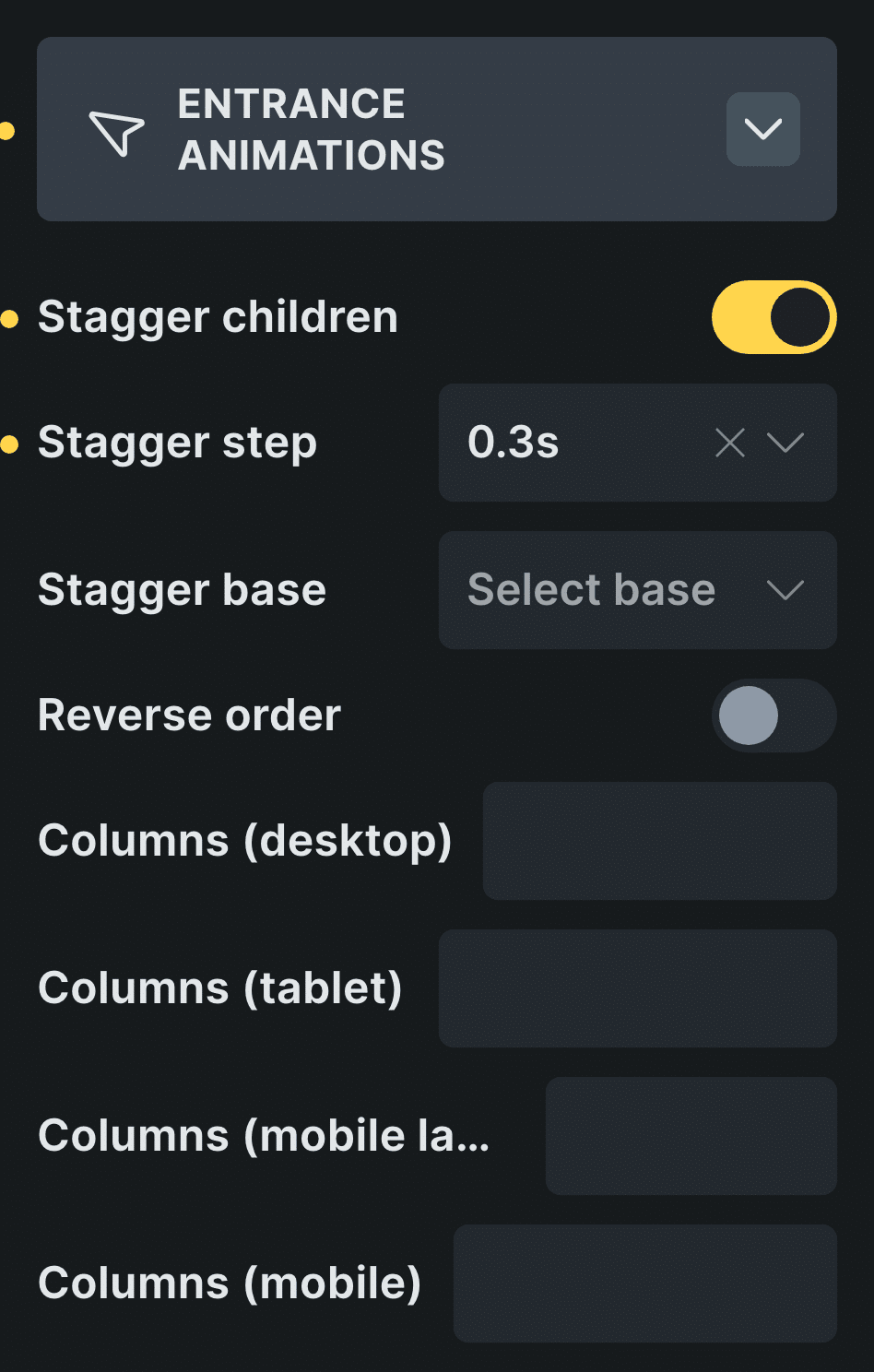
Real capture of the panel in Bricks, in Bricks’ own colors.
Pick the grid
Select the element that holds the cards.
Turn on Stagger children
Each direct child enters a moment after the one before.
Control: Stagger childrenSet the step
How long between one card and the next.
Control: Stagger step
In Etch the same settings live in the Fancy panel, and in the block editor in the block sidebar.
New in version 3.2 · or ask your assistant
“Add a features section: a heading whose words animate in one by one, then a grid of 6 cards that enter one after another.”
Every setting
Every setting in the panel
Every stagger setting in Entrance Animations, on the element that holds the cards.
Stagger children
Each direct child enters a moment after the one before.
Stagger step
The time between one card and the next. 0.3s if you leave it empty.
0.3s0.5s0.7s1s1.3s1.5s1.7s2s2.5s3s4sStagger base
A wait before the first card.
0.3s0.5s1s2sReverse order
The last card goes first.
Columns
Cards per row on each screen size, so the grid enters row by row.
DesktopTabletMobile landscapeMobile1 to 12
animation-delay in CSS
What a stagger is, in CSS
In CSS a stagger is the same animation with a growing animation-delay: the first card waits nothing, the second waits a step, the third two steps.
Typed by hand, those delays break when the grid changes. Stagger children writes them for you, and Columns makes a grid enter row by row on each screen size.
Read the guide to CSS animationsBefore and now
What it took before, and what it takes now
Card grids are where a stagger matters most.
Beforedelays by hand
- Not included:A delay typed on every card
- Not included:Redone when a card is added
- Not included:Different numbers on phones
- Not included:Lost on cards that load later
Nowwith Fancy Animations
- Not included:Stagger children on the parent
- Not included:Stagger step and Stagger base as settings
- Not included:Columns per screen size
- Not included:Works with query loops and load more
Does it work in a query loop?
Yes. It applies to the direct children of the element with the stagger, and again to cards that arrive with load more or AJAX pagination.
My cards are wrapped. Where does it go?
On the wrapper that holds them, so its direct children are the cards.
Can the last card go first?
Yes, with Reverse order.
Add a stagger to your next site
From $179, one payment, every update for life. 14-day refund.