
Scroll animations
Scroll video animation, frame by frame as you scroll
In a scroll video animation the video follows the scroll: scroll down and it plays, scroll up and it rewinds. Before, people exported hundreds of images to fake it. Now it is a row on the video.
What you can do
Three things a video can do with the scroll
Each one is a setting on the same Video Scrub row.
Scrub
The video follows the scroll, both ways.
Part of the video
From and To pick the stretch: here only its second half.
Backwards
Invert plays it from the end to the start.
How it works
A row on the video, and a quick check
Video scrub is a preset in ScrollTrigger Animations. In version 3.2, a Check video button in the canvas measures your file and says what to change.
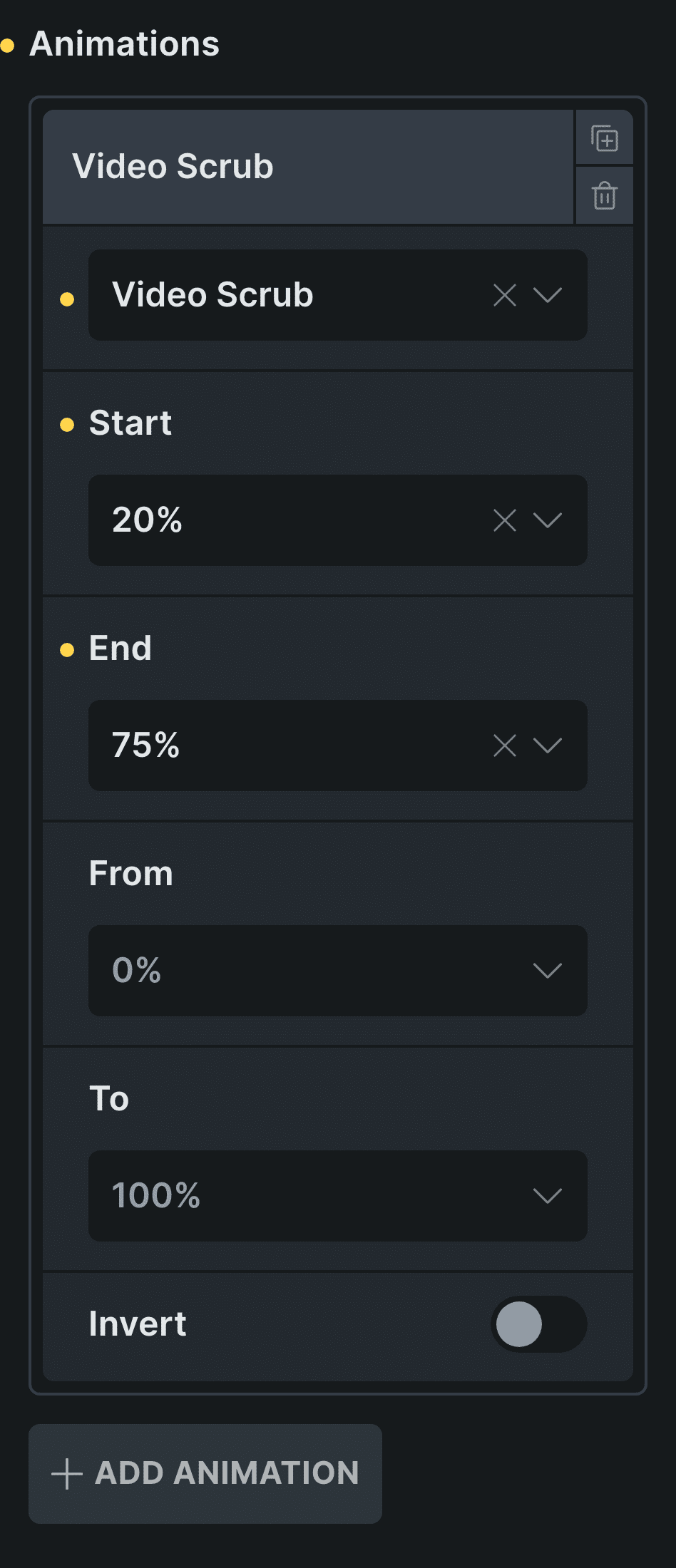
Real capture of the Animations rows in Bricks: the Video Scrub row of the video above, which also has Get parent on.
Add your video
A video element, or a wrapper that holds one. Turn on Get parent inside a pinned stage.
Add a Video Scrub row
Set where in the scroll it plays, for example from 20 to 75.
Control: Video ScrubCheck the video
In 3.2, Check video measures seeking and frame count in the canvas.
In Etch the same settings live in the Fancy panel, and in the block editor in the block sidebar.
Every setting
The settings it uses
The settings this scene uses, in ScrollTrigger Animations.
Animations: Video Scrub
On the video, or a wrapper that holds one. Start and End set where it plays; From and To, which part of the video.
Start 0–95%End 5–100%From 0–95%To 5–100%InvertGet parent
Measures against the pinned stage instead of the video.
Scroll smoothing
Not used here: the plugin eases the video on its own, adapted to how long each seek takes.
Check video
A button in the canvas that measures your file and says what to change. New in 3.2, never on the published site.
Preparing the video
What makes a scrubbed video smooth
The browser has to jump to any moment of the video as you scroll. That is fast only when the file has a keyframe every few frames, so export it with short keyframe intervals.
Frame count matters too. Fewer than about 300 frames looks jumpy on a long scroll. Check video tells you both numbers and what to change.
Read the docs on video scrubBefore and now
What it took before, and what it takes now
Apple-style product videos used to mean image sequences.
Beforeimage sequences
- Not included:Export hundreds of images
- Not included:A canvas script to draw them
- Not included:Heavy pages and slow loads
- Not included:No way to know why it stutters
Nowwith Fancy Animations
- Not included:Your video, as it is
- Not included:A Video scrub row in the panel
- Not included:Check video measures it for you (3.2)
- Not included:Rewinds as smoothly as it plays
Templates
Start from the Video scrub template
A pinned product video with three captions that take turns, ready for your own video.
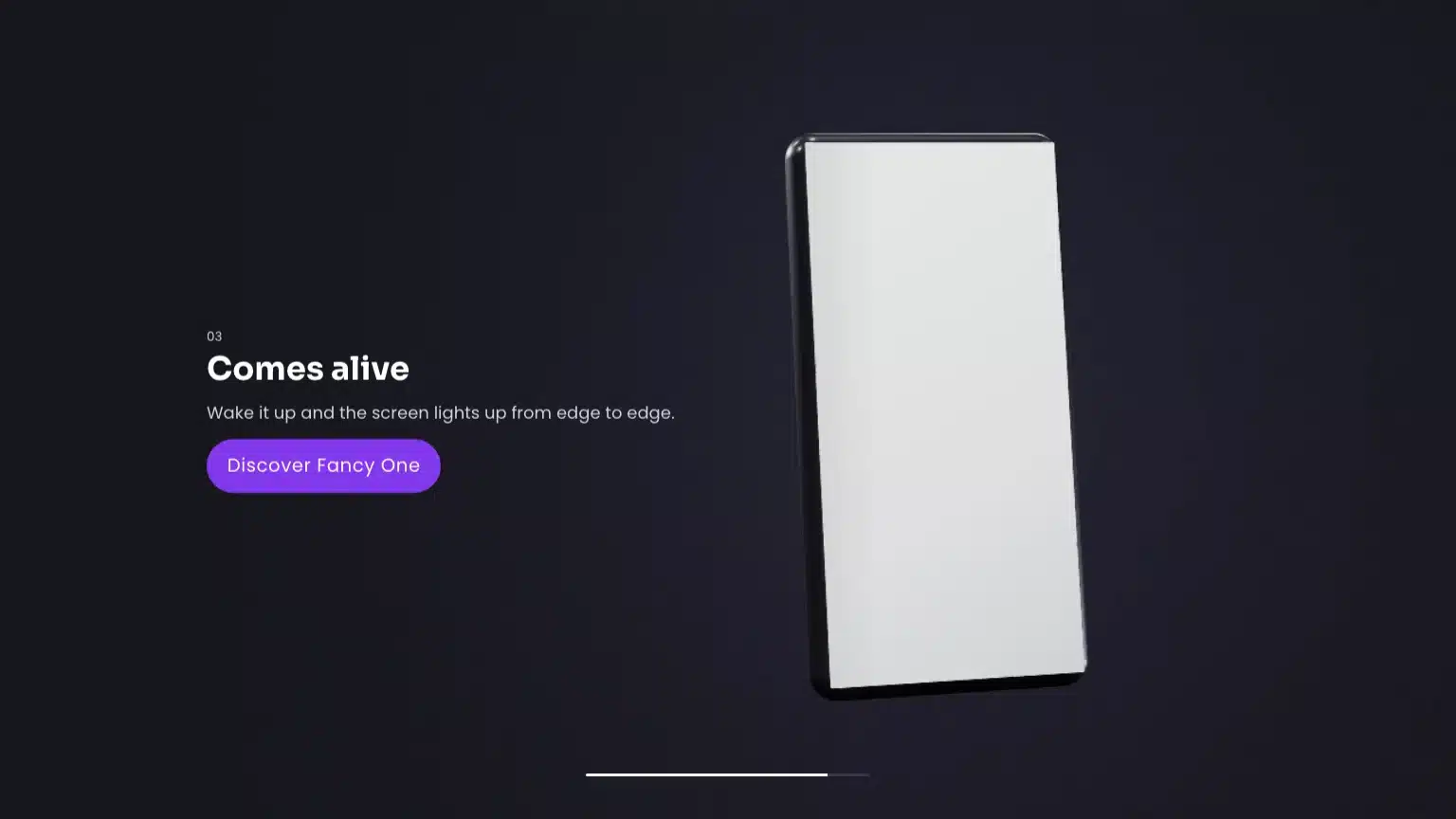
Video scrub
A pinned product video with captions that take turns.
Why does my video look jumpy?
It probably has too few keyframes or too few frames. Export with short keyframe intervals and at least about 300 frames.
Does it work in Etch and the block editor?
Yes, in all three. From 3.2, Check video appears in the Bricks, Etch and block editor canvases, never on the published site.
Is there a template?
Yes, Video scrub, included with every license.
Add a scroll video to your next site
From $179, one payment, every update for life. 14-day refund.