
Text animations for WordPress and Bricks
Animated text for your website, by letter, word or line
Animated text for your website used to mean splitting every heading into pieces by hand. Now you pick a preset in the panel, choose letters, words or lines, and the heading does the rest.
What you can do
Letters, words or lines
Pick how the text splits. Letters is the default; Words and Per Line are switches in the panel.
Letter by letter
The default, for short headings.
Word by word
Calm and easy to read.
Line by line
For long headings and quotes.
Every preset
Every text preset, playing
All 23 presets in the panel, letter by letter. They work on headings, text, buttons and post titles.
Fade and focus 3
Fancy
Fade
Fancy
Blur
Fancy
Focus
Move 4
Slide up
Slide down
Slide up rotate
Slide down rotate
Turn 7
Fancy
Flip X
Fancy
Flip Y
Fancy
Rotate LTR
Fancy
Rotate RTL
Fancy
Skew LTR
Fancy
Skew RTL
Fancy
Swing 3D
Scale 2
Fancy
Zoom in
Fancy
Zoom out
Reveal 5
Fancy
Clip reveal
Overlay revealPrimary
Overlay revealSecondary
Overlay revealWhite
Overlay revealBlack
Rhythm 2
Fancy
Wave
Fancy
Typewriter
Every preset plays here on a loop. On your site each one plays once, when the element arrives.
Accessible text
Animated text that screen readers still read
The words move on screen, and a screen reader still hears the whole sentence, links included.
“Read the text animation docs before you start.”
text animation docs
How it works
Switch on Words, then pick the motion
Text animations have their own panel in Bricks. The heading stays one element in the builder.
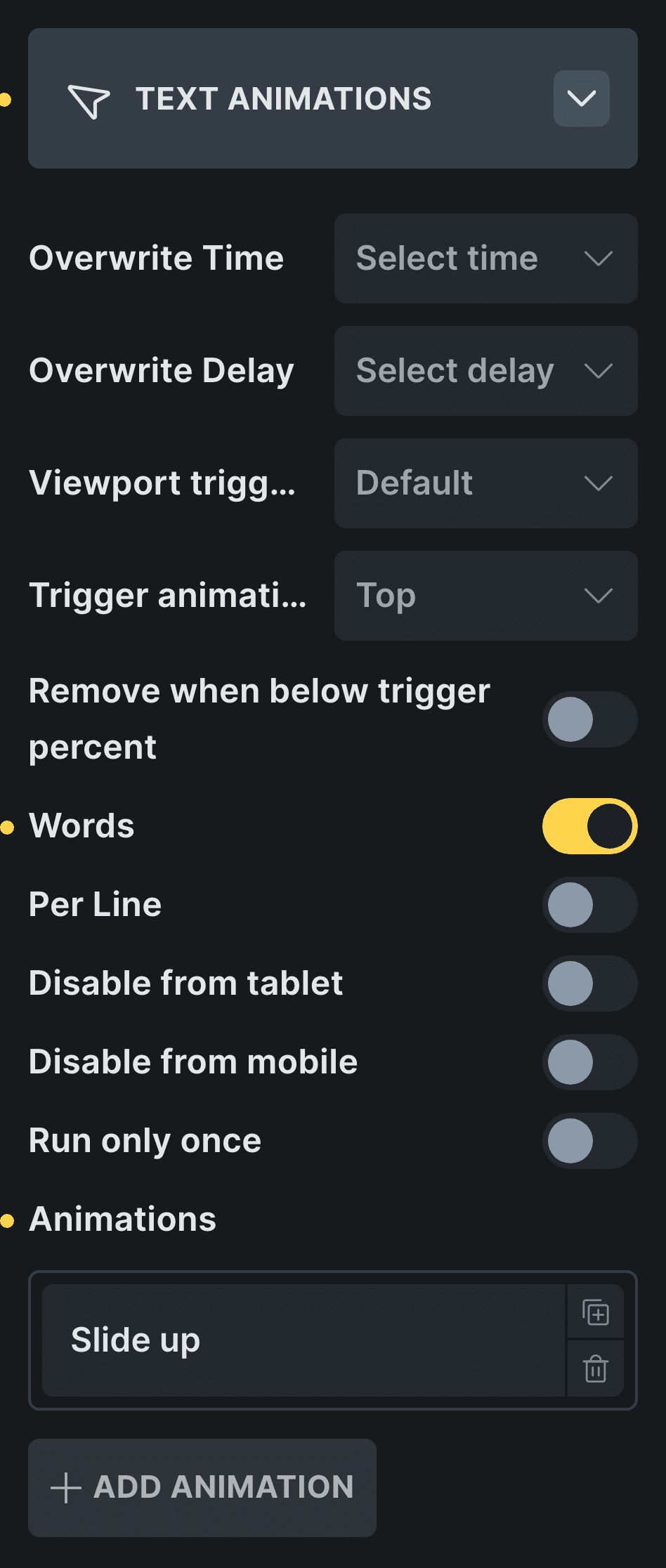
Real capture of the panel in Bricks, in Bricks’ own colors.
Pick the heading
Select a heading or a paragraph.
Turn on Words or Per Line
Words splits it word by word; Per Line, line by line.
Control: Per LineChoose the motion
Slide up is the one I use most.
In Etch the same settings live in the Fancy panel, and in the block editor in the block sidebar.
New in version 3.2 · or ask your assistant
“Add a features section: a heading whose words animate in one by one, then a grid of 6 cards that enter one after another.”
Every setting
Every setting in the panel
Every setting in Text Animations, with the values you can pick.
Words / Per Line
Split by word or by line instead of by letter.
Overwrite Time
How long each piece takes.
0.3s0.5s0.7s1s1.3s1.5s1.7s2s2.5s3s4s5s10s20s30sOverwrite Delay
How long it waits before starting.
0s0.3s0.5s0.7s1s1.3s1.5s1.7s2s2.5s3s4sViewport trigger
How far into the screen the text has to come.
10%20%30%40%50%60%70%80%90%Trigger animation when
When its top reaches that point, or when it is fully visible.
TopFully visibleRemove when below trigger percent
Plays again each time it comes back.
Run only once
Plays the first time and stays.
Disable from tablet / mobile
Shows the text still on smaller screens.
Kinds of text animation
Letters, words, lines and the typewriter
Most text animations split the text first, then animate each piece with a small delay. Words feel calm and readable; lines suit long headings and quotes.
The Typewriter preset makes the letters appear one by one, each at once, like keys being pressed. There is no blinking cursor. Links, bold and italics inside the text are kept when it splits by letters or words.
Read the text animation examplesBefore and now
What it took before, and what it takes now
Animated headings are where people start, and where they used to get stuck.
Beforesplitting by hand
- Not included:Wrap every word in its own span
- Not included:Or load a library to split the text
- Not included:Type a delay for each piece
- Not included:Redo it when the heading changes
Nowwith Fancy Animations
- Not included:Words or Per Line in the panel
- Not included:The delays are set for you
- Not included:Change the heading, the motion stays
- Not included:Run only once, or every time
Is there a typewriter effect?
Yes. The Typewriter preset makes the letters appear one by one. There is no blinking cursor.
What if JavaScript is blocked?
The text shows as normal text, without the animation.
Does it respect reduce motion?
Yes, with Respect reduce motion on: the whole text shows at once.
Can it play only once?
Yes, with Run only once.
Add animated text to your next site
From $148.57 instead of $179, one payment, every update for life. 14-day refund.