
Scroll animations
Card stack animation for Bricks, with no code
In a card stack animation each card stays in place and the next one slides over it, while the one below shrinks and darkens. Before, you had to work out each card’s scroll window by hand. Now it is one switch.
- 01 / 04
Each card is sticky
A sticky position with a small top offset. That part is plain CSS.
- 02 / 04
The next one covers it
Covered by next sibling measures how far, from 0 to 1.
- 03 / 04
The covered card reacts
It shrinks a little and darkens, from that number.
- 04 / 04
Add a fifth, or a tenth
Index children steps the offsets down. Nothing to retune.
What you can do
What the covered card can do
The card underneath reacts to how far the next one has come. Mix these as you like.
Shrink
The covered card scales down a little.
Darken
It dims as the next one arrives.
Tilt back
It leans away, like a page turning.
How it works
One switch on the cards’ parent
The card stack animation needs no numbers per card. The plugin measures how far each next card has come and passes it on.
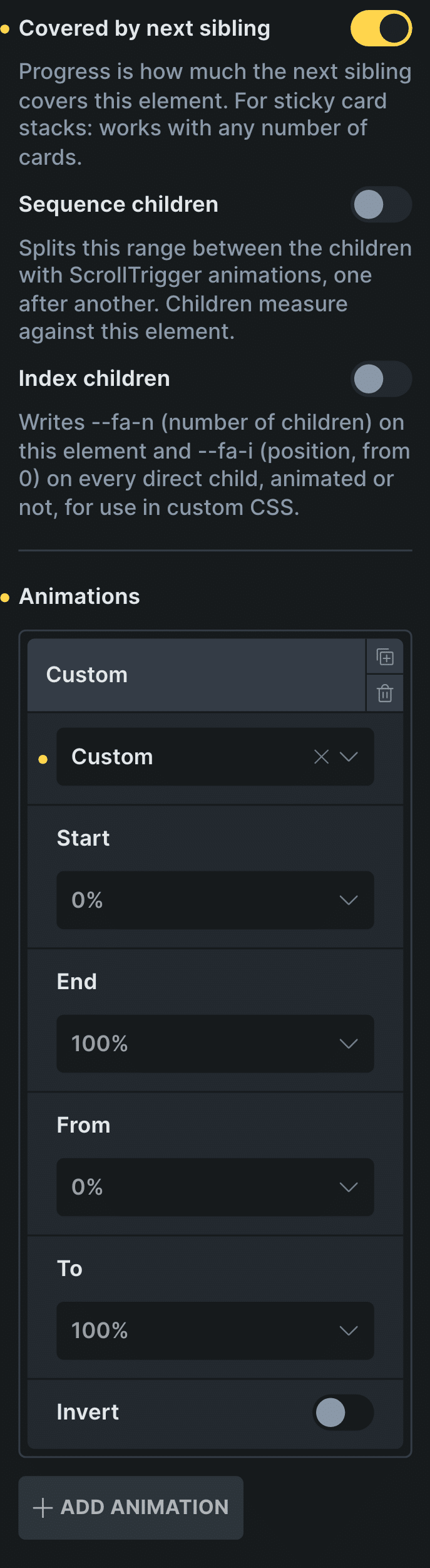
Real capture of the ScrollTrigger Animations panel in Bricks, from Covered by next sibling down: the settings of each card above.
Make the cards sticky
Give each card a sticky position, the way you would in Bricks.
Turn on Covered by next sibling
Each card now knows how far the next one has covered it, from 0 to 1, in a Custom row.
Control: Covered by next siblingAdd Index children for the offsets
Each card’s top offset steps down by its position, so a fifth card lines up by itself.
Control: Index children
In Etch the same settings live in the Fancy panel, and in the block editor in the block sidebar.
New in version 3.2 · or ask your assistant
“Make the 5 service cards stick and stack on top of each other as I scroll: each one shrinks slightly, darkens and tilts back while the next slides over it. It must work with any number of cards.”
Every setting
The settings it uses
The settings this scene uses, in ScrollTrigger Animations.
Covered by next sibling
Progress becomes how much the next card covers this one.
Index children
Each card knows its position and the total.
Animations
What the covered card does: scale, fade or turn, with your own window.
ZoomFadeRotateCustomScroll smoothing
Eases the stack so it never jumps.
Off0.05s0.1s0.15s0.2s0.3s0.5sDisable from mobile
On phones the covered card stops reacting. The cards still stack: sticky is CSS.
CSS stacked cards
Stacked cards with CSS position sticky
The stacking itself is plain CSS: each card is sticky with a small top offset, and the next card scrolls over it. That part works in any builder.
The hard part is the card underneath. To shrink or darken it, something has to know how far the next card has come. That is what Covered by next sibling measures, so the CSS stays simple.
Read the guide to CSS scroll effectsBefore and now
What it took before, and what it takes now
Card stacks are the scroll effect people ask me about most.
Beforesticky and JavaScript
- Not included:Sticky offsets worked out per card
- Not included:JavaScript to measure the card on top
- Not included:Different numbers for three cards or five
- Not included:A broken stack when a card is added
Nowwith Fancy Animations
- Not included:One switch: Covered by next sibling
- Not included:Any number of cards, no numbers per card
- Not included:The same settings in Bricks, Etch and the block editor
- Not included:Turn it off on phones per element
Templates
Start from a card stack template
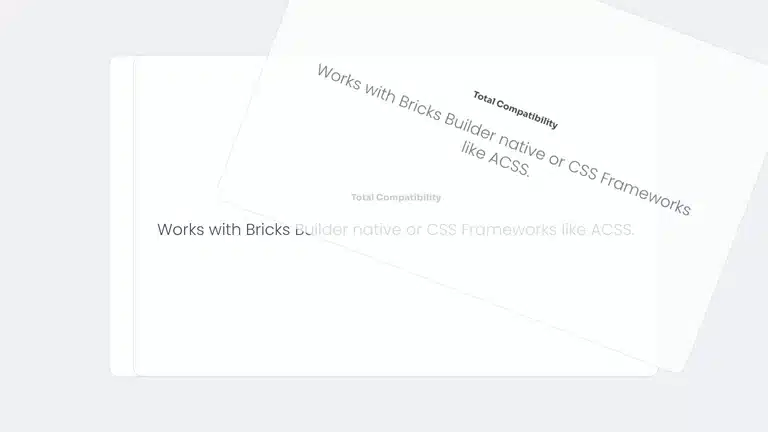
Two templates, two ways to stack: sticky cards covered by the next one, or cards that come in one by one in a pinned stage.

Does it work with any number of cards?
Yes. Covered by next sibling measures each card against the next, so any number works, and Index children steps the top offsets by position.
What happens on phones?
You choose. The stack works there too. Turn the effect off per element with Disable from mobile and the cards still stack without shrinking; remove the sticky position at that size for a plain list.
Is there a template to start from?
Yes, two: Section card stack and Stacked cards, both included with every license.
Add a card stack to your next site
From $179, one payment, every update for life. 14-day refund.