
Smooth scroll
Smooth scroll for WordPress, switched on in one setting
Smooth scroll for WordPress makes the wheel glide instead of jumping. Before, you added Lenis by hand on every site. Now it is one switch, with the feel set by a few sliders, and from 3.2 a page can turn it off and on live.
What you can do
Tune how it feels
Three settings change the feel; the defaults are a good start.
Wheel sensitivity
How far one turn of the wheel goes.
Duration and easing
How long the glide takes, and its curve.
Lerp
A softer, always-moving glide.
Every preset
Five ways to glide
Easing sets the feel. The default is Fancy.
Easing 5
FancyDefault
Ease out
Linear
Lerp
CustomYour function
Each one scrolls three wheel steps on a loop. The ring is where the wheel sends the page; the dot is where the page is. Custom here is a slight overshoot; you write your own function.
How it works
One switch for the whole site
Smooth scroll lives in the plugin settings, so it works the same whatever builder made the page.
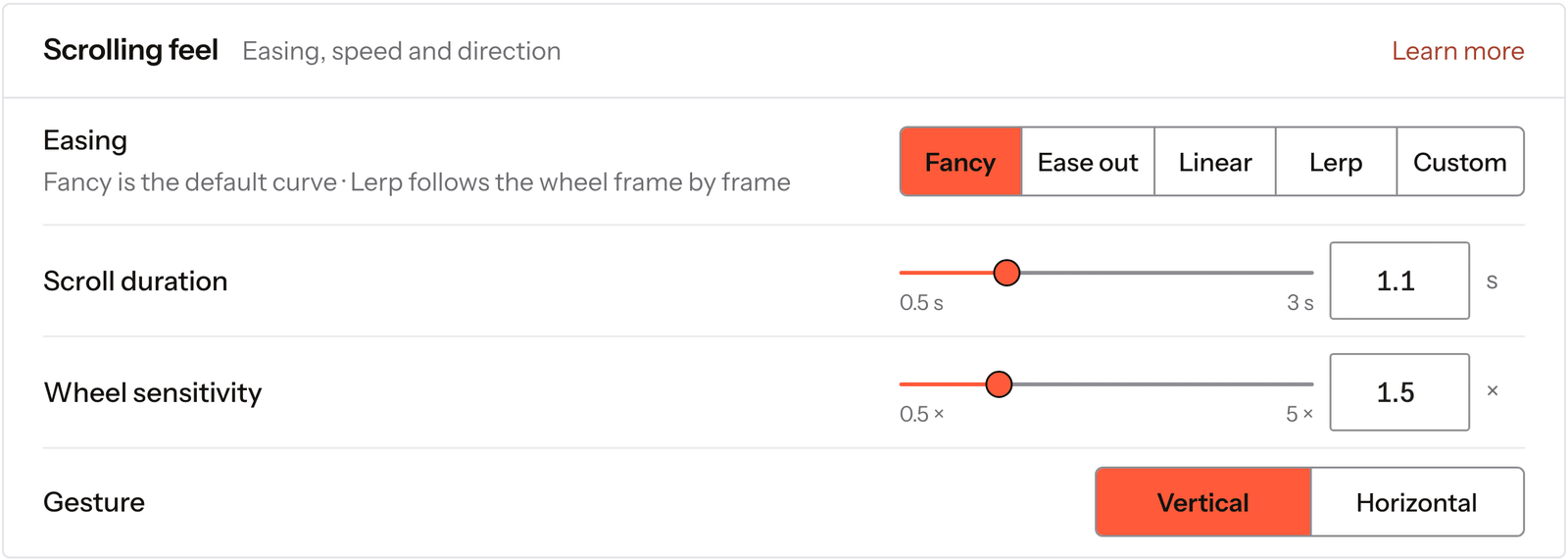
Real capture of the Smooth scroll screen in the plugin settings.
Open Smooth scroll
In Fancy Animations, in your WordPress admin.
Turn it on
The whole site scrolls smoothly from then on.
Tune the feel
Wheel sensitivity, duration and easing, or lerp.
It runs on the published site, so it works the same whatever builder or theme made the page.
Every setting
Every setting in the panel
Smooth scroll lives in the plugin settings and runs on the published site, never in the builder.
Easing
The curve of the glide. Lerp keeps moving softly; Custom takes your own function.
FancyEase outLinearLerpCustomScroll duration
How long the glide takes. Off with Lerp.
0.5s to 3sLerp factor
How soft Lerp feels.
0.01 to 0.99Wheel sensitivity
How far one turn of the wheel goes.
0.5× to 5×Gesture
Which way a trackpad gesture scrolls.
VerticalHorizontalStop and start from the page
A menu or a modal can pause it and start it again without a jump. New in 3.2.
Scrolljacking
What smooth scroll does, and what it doesn’t
Smooth scroll changes how you arrive at the point you scrolled to, not where that point is. One turn of the wheel still moves the page; it glides instead of jumping.
Scrolljacking is different: the page decides where you go. Smooth scroll doesn’t do that, and people who ask their system for less motion can skip it.
Read the smooth scroll docsBefore and now
What it took before, and what it takes now
Most smooth scroll setups are Lenis added by hand.
BeforeLenis by hand
- Not included:Add Lenis to every site
- Not included:Wire it to your scroll animations
- Not included:No way for a page to turn it off
Nowwith Fancy Animations
- Not included:One switch in the settings
- Not included:Scroll animations follow it on their own
- Not included:A page can turn it off and on (3.2)
Does it respect reduce motion?
From version 3.2, with Respect reduce motion on, smooth scroll doesn’t start for visitors who ask for less motion.
Does it work with scroll animations?
Yes. They follow the smooth scroll on their own.
Can a page turn it off?
From version 3.2, yes. A menu or a modal can stop it and start it again without a jump. The docs show the API and the event to listen for.
Add smooth scroll to your next site
From $179, one payment, every update for life. 14-day refund.