
Slider animations
Slider animations for the Bricks nestable slider
Slider animations replay each slide’s content every time it arrives. Before, the text of a new slide just appeared. Now the entrance animations inside a slide play again each time it comes in, on the Bricks nestable slider.
What you can do
What animates in a slide
Any entrance animation works inside a slide.
Headings
They rise in as the slide arrives.
Images
They zoom or fade in.
Groups
Buttons and cards one after another.
Dropdowns and mega menus
Their content replays each time a Bricks dropdown or mega menu opens, like this site’s Features menu.
How it works
Entrance animations inside each slide
There is no separate slider panel. You use Entrance Animations on the elements inside a slide.
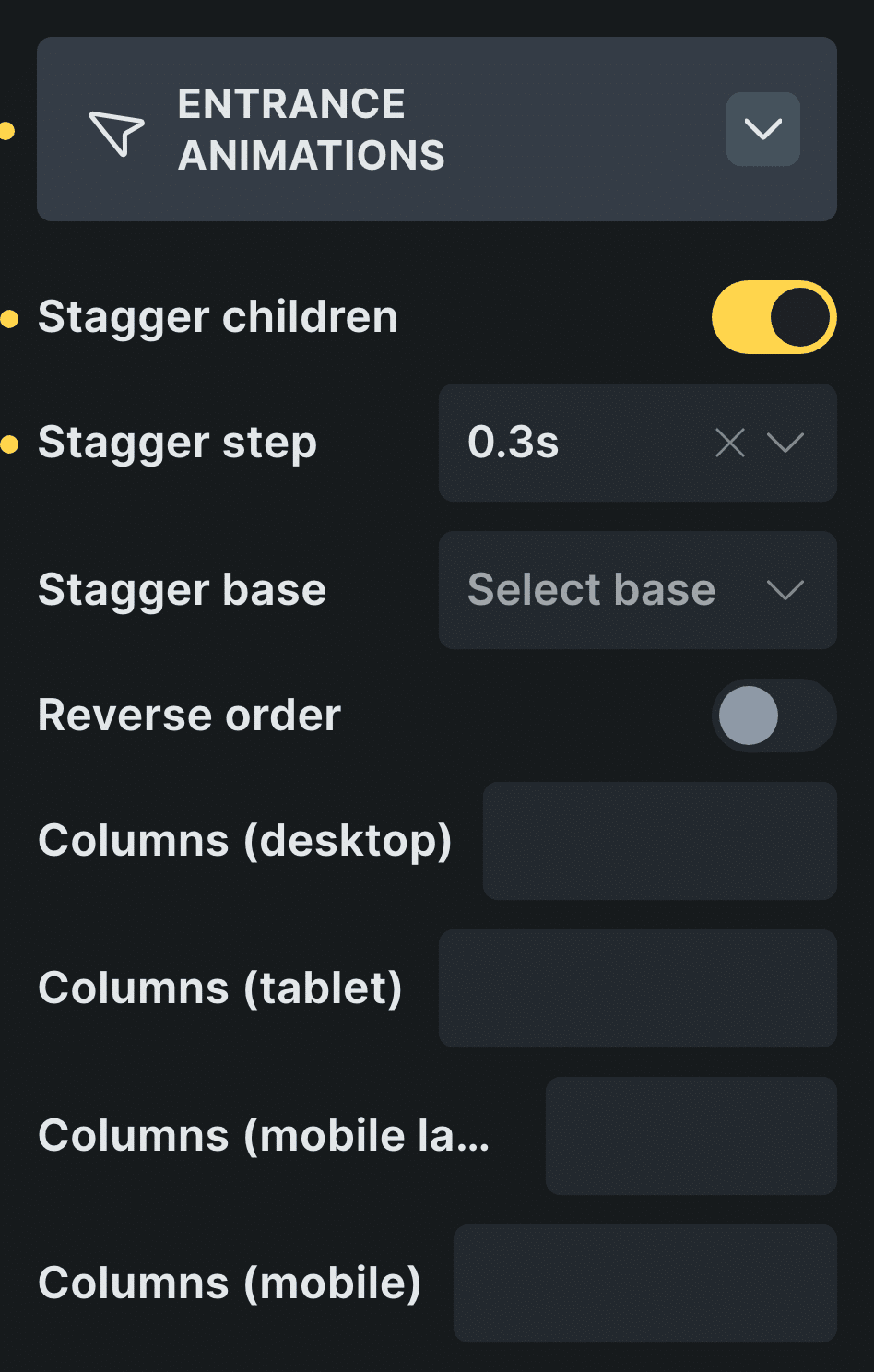
Real capture of the Entrance Animations panel in Bricks, in Bricks’ own colors.
Use the Bricks nestable slider
The plugin works with the slider that comes with Bricks.
Pick an element inside a slide
A heading, an image or a button.
Add an entrance animation
It plays every time its slide comes in.
Control: Animations
Slider animations work with the Bricks nestable slider.
If you came looking for Swiper
Swiper, Splide and the Bricks slider
Swiper is a popular slider library. The Bricks nestable slider runs on another one, Splide, and Fancy Animations works with it directly.
Inside a slide, delays are skipped: the content enters as soon as the slide is active. The slider also knows when it is on the first or last slide and which way it moved, so your arrows and dots can change with it. The same replay works inside Bricks dropdowns and mega menus each time they open: open this site’s Features menu to see its cards enter one after another.
Read the docs on slidersBefore and now
What it took before, and what it takes now
Slides that change without their content moving feel flat.
Beforea slider plugin
- Not included:Another slider plugin with its own styles
- Not included:Animations that play once and never again
- Not included:Code to listen to slide changes
Nowwith Fancy Animations
- Not included:The Bricks nestable slider, as it is
- Not included:Entrance animations that replay per slide
- Not included:The same presets as the rest of the site
Templates
Start from a slider template
Real sections with their Bricks Builder animations already set.

Slider 01
Slides whose content enters each time they arrive.
Which slider does it work with?
The Bricks nestable slider.
Do the animations replay?
Yes. The animations inside a slide play every time it comes in.
Add slider animations to your next site
From $148.57 instead of $179, one payment, every update for life. 14-day refund.